How to Create a WordPress Website Step by Step for Beginners
Revolution WP No CommentsCreating a website may seem difficult at first, but WordPress makes the process simple and beginner-friendly. Whether you want to start a blog, build a business website, create an online store, or showcase your portfolio, WordPress provides all the tools you need to get started. Learning how to create a WordPress website can help you establish a strong online presence and reach a wider audience. Choosing Responsive WordPress Themes is a practical investment because they ensure your website looks professional and functions properly on desktops, tablets, and smartphones, reducing the risk of losing visitors due to poor mobile performance. With thousands of themes, plugins, and customization options available, WordPress allows you to build a professional website without coding skills. It is also SEO-friendly, mobile-responsive, and easy to manage.
In this complete guide, you will learn step-by-step how to create a WordPress website, choose the right hosting, customize your design using WordPress Themes, improve website SEO, and launch a successful website that attracts visitors and supports your business goals. A well-optimized and responsive website can improve user experience, increase engagement, and deliver a better return on your website investment over time.
Why Choose WordPress?
WordPress is the world's most popular content management system (CMS), powering millions of websites across various industries. It is an excellent choice for beginners and experienced users alike because it offers flexibility, ease of use, and powerful customization options. Whether you're creating a business website, blog, portfolio, or online store, WordPress provides the tools needed to build and manage a professional online presence without extensive coding knowledge. One of the biggest advantages of WordPress is its vast library of themes and plugins, allowing users to customize website design and functionality according to their needs. It is also SEO-friendly, helping websites rank better in search engine results and attract more organic traffic.
Additionally, WordPress is mobile-responsive, secure, and regularly updated to ensure optimal performance. With a large global community and extensive documentation, users can easily find support and resources. These benefits make WordPress a reliable and scalable platform for building websites of any size.
How to Create a WordPress Website: A Complete Step-by-Step Guide
Creating a website no longer requires advanced coding skills or a large budget. Thanks to WordPress, anyone can build a professional-looking website for a business, blog, portfolio, or online store with minimal technical knowledge. As the world's most popular content management system (CMS), WordPress offers flexibility, scalability, thousands of themes, and powerful plugins that make website creation accessible to beginners.
If you're wondering how to create a WordPress website, this comprehensive guide will walk you through every essential step. From choosing a domain name and hosting provider to customizing your design and optimizing for search engines, you'll learn everything needed to launch a successful website and establish a strong online presence.
Step 1: Define Your Website Goals
Before you start building your website, it is important to understand exactly what you want your website to achieve. Many beginners focus immediately on design and features without first identifying the purpose of their website. Having a clear objective allows you to make smarter decisions regarding content, functionality, design elements, and marketing strategies.
When planning to create a WordPress website, think about the audience you want to serve and the actions you want visitors to take. For example, a local service business may want visitors to schedule appointments, while an eCommerce store focuses on generating product sales. A blogger may prioritize content publishing and audience engagement, whereas a portfolio website is designed to showcase creative work and attract potential clients.
Your website goals will also influence your navigation structure, homepage layout, and plugin selection. By identifying these objectives from the beginning, you can create a more focused and effective website that delivers measurable results.
Key Considerations
- Identify your target audience.
- Determine your website's primary purpose.
- Define short-term and long-term goals.
- List features your website will require.
- Create a content strategy aligned with your objectives.
Step 2: Choose a Domain Name
Your domain name is one of the most important branding elements of your website. It serves as your online address and helps visitors find and remember your business. A strong domain name can enhance credibility, improve brand recognition, and make marketing efforts more effective.
When selecting a domain name, simplicity should be your priority. Choose a name that is easy to spell, pronounce, and remember. Ideally, your domain should reflect your business name, niche, or services. Avoid using complicated words, hyphens, or numbers, as they can make it difficult for users to recall your website address.
A well-chosen domain name creates a professional first impression and contributes to long-term branding success. Since changing your domain later can be challenging and potentially affect SEO, take time to select the right name fromthe start.
Best Practices for Choosing a Domain
-
Keep It Short and Memorable:Shorter domain names are easier to type, share, and remember.
-
Focus on Branding:Choose a domain that aligns with your business identity and messaging.
-
Use a Popular Extension:A .com extension remains the most trusted and recognizable option.
-
Check Availability:Verify that your desired domain is available before finalizing your decision.
- Consider Future Growth:Select a name that can accommodate future expansion rather than limiting your brand to a specific product or service.
Step 3: Purchase Reliable Web Hosting
Web hosting is the service that stores your website files and makes them accessible to users on the internet. Choosing a reliable hosting provider is one of the most important decisions you'll make because hosting directly affects website speed, uptime, security, and overall performance.
A quality hosting provider ensures your website remains available to visitors around the clock. Fast-loading websites provide a better user experience and are favored by search engines. In contrast, poor hosting can lead to slow page speeds, downtime, security issues, and lost business opportunities.
As you prepare to create a WordPress website, evaluate hosting providers carefully. Look for companies that offer WordPress-optimized environments, excellent customer support, daily backups, SSL certificates, and scalability options that allow your website to grow over time.
Features to Look for in Hosting
Fast Server Performance:Website speed significantly impacts user satisfaction and SEO rankings.
High Uptime Guarantee:Choose providers that offer at least 99.9% uptime.
Strong Security Features:Look for malware scanning, firewalls, and SSL certificates.
Automatic Backups:Regular backups help protect your website from unexpected issues.
Customer Support:Reliable support is especially valuable for beginners.
Step 4: Install WordPress
After purchasing hosting and connecting your domain, the next step is installing WordPress. Fortunately, most hosting companies provide one-click installation tools that make this process simple and quick. Within a few minutes, you can have a fully functional WordPress installation ready for customization.
WordPress is designed to be user-friendly, allowing beginners to manage websites without programming knowledge. Once installed, you'll gain access to the WordPress dashboard, where you can create pages, publish blog posts, install themes, configure plugins, and control every aspect of your website.
Learning how the dashboard works is essential because it becomes the central hub for website management. Spend some time exploring the available options and familiarizing yourself with the interface before moving on to customization.
Installation Process
-
Access Your Hosting Dashboard:Log in to your hosting account and locate the WordPress installer.
-
Configure Website Settings:Enter your site title, username, password, and email address.
-
Complete Installation:Allow the installer to set up WordPress automatically.
- Log Into the Dashboard: Use your administrator credentials to access the backend of your website.
Step 5: Choose a Professional WordPress Theme

One of the most exciting parts of building a website is selecting a theme. Your theme controls the overall appearance, layout, typography, color schemes, and user experience. Choosing the right theme can significantly impact how visitors perceive your brand.
When planning to create a WordPress website, it's important to select a theme that is mobile-responsive, SEO-friendly, fast-loading, and easy to customize. A poorly coded theme can negatively affect performance and make future updates more difficult.
Recommended Theme: Fashion Storefront WordPress Theme
For wellness businesses, spas, therapists, massage clinics, chiropractors, healthcare providers, and service-based businesses, the Massage WordPress Theme from RevolutionWP is an excellent choice. This theme offers a professional design with service-oriented layouts, customizable sections, and responsive functionality that looks great on all devices.
The WordPress Woocommerce themes includes clean design elements, modern typography, and organized content sections that help visitors quickly understand your services. Its user-friendly customization options make it suitable for beginners who want professional results without hiring a developer.
Benefits of This Theme
- Modern professional design
- Mobile-friendly layouts
- SEO-optimized structure
- Fast loading performance
- Easy customization options
- Service-focused homepage sections
Step 6: Customize Your Website Design

After activating your theme, the next step is customizing the design to reflect your brand identity. Website customization allows you to create a unique appearance that differentiates your business from competitors while maintaining a professional image.
Your design choices influence how visitors perceive your brand and interact with your content. Consistent branding helps establish trust and improves user experience. Elements such as logos, colors, typography, imagery, and page layouts should work together to create a cohesive visual identity.
As you create a WordPress website, focus on simplicity and usability. Avoid cluttered designs and prioritize a clean layout that makes information easy to find.
Areas to Customize

-
Logo and Branding:Upload your logo and establish visual consistency.
-
Color Scheme:Choose colors that align with your brand personality.
-
Typography:Select fonts that are attractive and easy to read.
-
Homepage Layout:Highlight key information and calls-to-action.
- Header and Footer: Include navigation menus, contact information, and social media links.
Step 7: Create Essential Website Pages
Every successful website includes a collection of core pages that provide visitors with important information and guide them through the customer journey. These pages help establish credibility, answer common questions, and encourage conversions.
Your homepage serves as the introduction to your business and should clearly communicate your value proposition. The About page helps build trust by sharing your story, mission, and expertise. Service pages explain what you offer, while the Contact page makes it easy for visitors to reach you.
Creating high-quality pages is an essential part of learning how to create a WordPress website that delivers results.
Important Pages to Include

-
Homepage:Present your brand, services, and primary calls-to-action.
-
About Page:Share your company's background and mission.
-
Services Page:Explain your offerings and their benefits.
-
Contact Page:Provide multiple ways for visitors to get in touch.
- Blog Page:Publish valuable content that supports SEO and audience engagement.
Step 8: Install Essential Plugins
Plugins extend the functionality of WordPress and allow you to add advanced features without coding. From SEO tools and contact forms to security solutions and performance enhancements, plugins make it easy to customize your website according to your needs.
While plugins are incredibly useful, it's important to choose high-quality options from reputable developers. Installing too many plugins can slow down your website and create compatibility issues.
Carefully selecting essential plugins ensures your website remains secure, efficient, and easy to manage.
Recommended Plugin Categories

-
SEO Plugins:Help optimize content for search engines.
-
Security Plugins:Protect your website from cyber threats.
-
Backup Plugins:Safeguard your data with regular backups.
Contact Form Plugins:Allow visitors to communicate easily.
-
Performance Plugins:Improve loading speed and user experience.
- Page Builder Plugins:Enable advanced design customization.
Step 9: Optimize Your Website for SEO and Mobile Users
Search engine optimization and mobile responsiveness are critical factors in website success. Without proper SEO, potential customers may never discover your website. Similarly, if your website performs poorly on mobile devices, visitors may leave before engaging with your content.
SEO involves optimizing page titles, headings, content, images, and technical elements to improve visibility in search engine results. Mobile optimization ensures that your website functions smoothly across smartphones, tablets, and desktops.
Modern users expect fast-loading, easy-to-navigate websites regardless of the device they use. Meeting these expectations helps improve engagement and conversion rates.
Optimization Priorities
-
Keyword Optimization:Target relevant search terms naturally.
-
Page Speed:Improve loading times through optimization techniques.
-
Responsive Design:Ensure layouts adapt to different screen sizes.
-
Image Optimization:Reduce file sizes while maintaining quality.
- Internal Linking:Connect related pages for better navigation and SEO.
Step 10: Test, Launch, and Maintain Your Website
Before making your website public, conduct thorough testing to ensure everything works correctly. Testing helps identify issues with navigation, forms, responsiveness, and performance before visitors encounter them.
Launching your website is an exciting milestone, but ongoing maintenance is equally important. A successful website requires regular updates, content creation, security monitoring, and performance optimization.
Once you create a WordPress website, continuous improvements help keep it secure, relevant, and competitive. Regular maintenance ensures your website continues to provide value to visitors while supporting your business goals.
Final Launch Checklist
-
Test Every Page:Review content, formatting, and functionality.
-
Verify Forms and Links:Ensure all interactive elements work properly.
-
Check Mobile Compatibility:Test your website on multiple devices.
-
Optimize Performance:Review speed and loading times.
-
Monitor Website Analytics:Track visitor behavior and identify improvement opportunities.
- Maintain Regular Updates:Keep WordPress, themes, and plugins current to ensure security and stability.
Conclusion
Learning how to create a WordPress website is a valuable skill that can help you build a strong online presence for your business, blog, portfolio, or online store. By following the right steps, from choosing a domain name and reliable hosting to selecting a professional theme and optimizing your site for SEO, you can create a website that looks professional and performs well. WordPress makes website creation simple with its user-friendly dashboard, customizable themes, and powerful plugins.
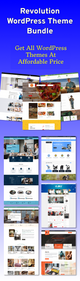
As your website grows, regular updates, quality content, and ongoing maintenance will help improve performance and attract more visitors. Whether you are a complete beginner or starting your first online project, WordPress provides everything you need to succeed. Start today and create a WordPress website that supports your goals and grows with your business over time. As your needs evolve, a WordPress Theme Bundle makes it easy to switch designs or launch new websites without purchasing a new theme for every project.
Frequently Asked Questions (FAQs)
1. How long does it take to create a WordPress website?
The time required to create a WordPress website depends on the complexity of the project. A simple website can be set up within a few hours, while a business website with custom pages, plugins, and design elements may take several days. Beginners should allow extra time for learning the WordPress dashboard, selecting a theme, and creating content.
2. Do I need coding knowledge to create a WordPress website?
No, you do not need coding skills to create a WordPress website. WordPress is designed for beginners and offers user-friendly tools, drag-and-drop page builders, themes, and plugins that allow you to build and customize a website without writing code.
3. What is the best hosting provider for WordPress beginners?
The best hosting provider depends on your budget and website requirements. Popular beginner-friendly options include Bluehost, Hostinger, SiteGround, and DreamHost. Look for hosting that offers one-click WordPress installation, strong security, automatic backups, and reliable customer support.